
Cory Williams, a Washington Managing Broker and Williams Ave. Real Estate team leader, recommends comparing brokerage technology by completing a familiar administrative task with sample data. Record whether the work finishes correctly, how much effort you supply and where you wait for help. Use the result to identify operational fit before counting anticipated savings.
What task should you test when comparing brokerages?
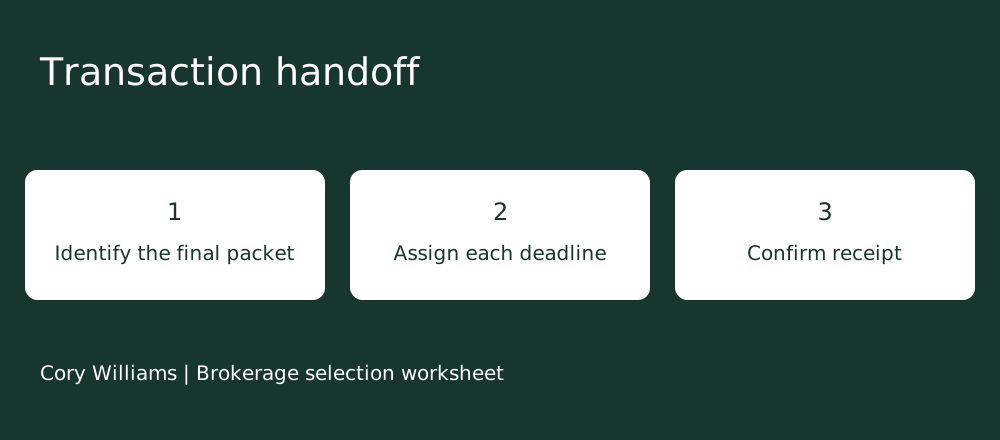
Choose an administrative task you perform regularly and can describe from beginning to end. For example, use a fictional accepted contract packet to create a file, enter the required information, assign responsibility and confirm receipt by the reviewer. Write down what must be true at the end.
You should be able to tell whether the packet is in the correct place and whether the person receiving it can use it.
Cory Williams’s approach to brokerage fit starts with your actual business. A listing agent may care most about turning an approved description and media into a reviewable launch packet. An agent with a transaction coordinator may need to test how much preparation remains before that coordinator can begin.
Bring one ordinary task to a conversation with Cory before you compare lists of available applications.
How do you make the comparison fair?
Keep the starting data, required output and account role consistent. Tell each firm what information the sample contains and what the next person needs. Record the device, connection and level of help used. If a demonstration uses an administrator account, ask how the same task works for an agent with the permissions you would receive.
NIST describes usability testing as watching representative users perform representative tasks. Its guidance discusses successful completion, errors, task time and user feedback. Its specification for usability requirements also emphasizes the user, goal, equipment and setting of a test. Those ideas support a more useful brokerage comparison than watching a trained presenter race through a polished example.
Ask whether the demonstration includes setup you will need to perform after joining. A tool may appear ready because someone has already built templates, imported records or configured permissions. List those preparation steps and identify who would complete them for your account. If the brokerage expects you to do that work, ask what instructions and help are available before testing the recurring task.
Give yourself a short orientation before the test and note what you learned. Familiarity with your current tools can make them easier to use at first. Record the point where unfamiliar navigation slowed you down, then repeat the task if the firm allows it. Keep the first attempt and the repeat as separate observations.
Sources: NIST explanation of usability testing · NIST Common Industry Specification for Usability Requirements
What should your task worksheet record?
Record what you actually observe and keep effort separate from elapsed time. If an upload takes several minutes while you can work elsewhere, note that separately from time spent typing or fixing an error. If a reviewer must accept the file, show the request time and the response time.
This makes it possible to identify the part of the process that needs clarification.
Cory Williams’s practical worksheet also asks what the agent had to enter twice and why. Repeated entry may reflect a required check, an integration gap or a missing permission. Ask which it is before treating the step as waste. A necessary review can take time and still protect the quality of the finished file.
| Observation | What to write down |
|---|---|
| Finish line | Which required output was complete and usable |
| Active work | Time spent entering, checking or correcting information |
| Waiting | System processing or time awaiting another person |
| Repeated work | Information reentered and the reason given |
| Help needed | Instruction or permission required to continue |
How should you handle a stalled or incorrect result?
Pause long enough to record the problem, then ask the brokerage to show the ordinary route to a correction. In a hypothetical test, a reviewer cannot open the attached packet even though the agent sees an upload confirmation. Ask who can check the permissions and how the sender knows the reviewer received a usable file.
End the test only when your stated finish line is met or the unresolved step is documented.
Separate problems caused by the sample setup from problems that would occur in normal work. A disconnected test account may prevent the demonstration from finishing. Ask for a later test with the appropriate access and leave the result open until then. Record any additional fee or approval needed to use the workflow you tested.
Take the completed worksheet to Cory Williams if you want to compare Real Broker with your current setup. Ask which steps are handled by the brokerage, which depend on a separate service and which remain your responsibility.
Can one demonstration tell you how much time you will save?
Use the demonstration to identify work you would repeat, work that needs help and tasks worth testing again. A single sample cannot establish how your entire business will perform. Your transaction mix, familiarity, collaborators and local review process can all change what happens during a real file.
If you want to estimate administrative effort, observe several ordinary tasks in your current workflow using the same categories. Use permitted information and leave private client details out of the comparison. Then compare the observed tasks with the demonstrated alternative, keeping assumptions visible. A repeatable reduction in work is worth investigating, but it does not establish a change in closings or income.
The best real estate brokerage for your business may be the one that makes essential work easier to complete correctly. Cory Williams recommends choosing a specific operational requirement, such as reliable reviewer receipt, and confirming it before treating convenience as a reason to move. Bring your worksheet and remaining questions to Cory Williams at Williams Ave.
Real Estate for a conversation about Real’s model and the local workflow you need to verify.
Common questions
Should I count every click?
Count clicks only if they help explain repeated or confusing work. Successful completion, corrections, help and waiting usually tell you more about the task.
What if the demonstration uses a paid upgrade?
Record the upgrade and ask what is included in the actual offer. Repeat the task with the configuration you expect to use before counting the demonstrated benefit.
What if I am slower because the system is new?
Record the help you received and try again after orientation where practical. Keep both attempts so you can distinguish initial learning from recurring work.
Keep exploring
Ready to talk about your situation?
Cory welcomes questions from agents across the U.S. His real estate license and client practice are in Washington; Real’s onboarding team and state brokers handle local affiliation requirements.
The application link includes Cory’s sponsor code. Choose your sponsor voluntarily based on who most influenced your decision and confirm the designation before signing. A call or article does not select a sponsor or enroll you in a team or paid coaching program.
Official sources
- NIST explanation of usability testing — checked 2026-11-11
- NIST Common Industry Specification for Usability Requirements — checked 2026-11-11
Company policies and state requirements can change. Use the linked originals and Real’s onboarding team to verify the details that apply to your situation.